Cozy Lucky Scoop Order Guides
From your first scoop to rare shipping badges — every walkthrough in one place.
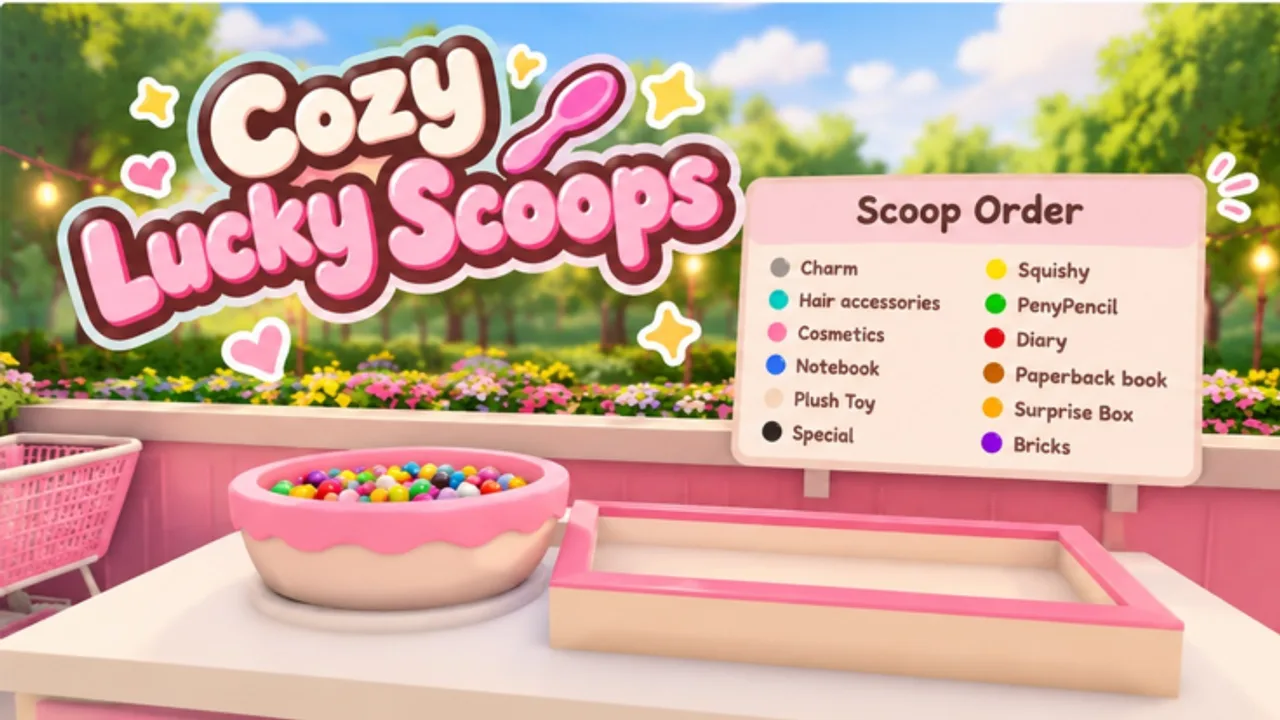
Welcome to the Guides Hub for Cozy Lucky Scoop Order, the cozy Roblox shop sim from Sakura Game Studios. The game entered beta on October 19, 2026, and the loop is deliberately simple: Scoop → Pack → Ship. This hub is the map for every tutorial on the wiki so you can stop guessing and start shipping clean tickets.
Whether you play solo or with up to three friends on a twelve-player server, the same fundamentals apply. Capacity upgrades (Basket, Cart, shelves), daily login rewards, mini gifts around the shop and garden, and cumulative order badges all stack. Use the pages below in order if you are brand new, or jump straight to the topic you need.
Start here
New to the experience? Open the Getting Started guide first. It covers your opening session, how the Scoop-Pack-Ship loop feels in practice, how to claim daily rewards, where mini gifts tend to appear, how to invite friends, and how to unlock the first shipping badge without wasting early currency on pure cosmetics.
If inputs feel awkward on PC or mobile, read the Controls guide next — it sticks to normal Roblox movement and click-to-interact station flow instead of inventing fake keybinds. When you are ready for the side loop, the Mini Gifts guide shows how to hunt without derailing shipping.
Badge progress and long-term goals
Shipping is not only income — it is also the badge track. Cozy Lucky Scoop Order awards badges for cumulative orders shipped at 1, 10, 25, 50, 100, 250, 500, 750, and 1000. Early badges arrive quickly; the higher tiers are rare and reward consistent play. Read the full table, rarity context, and grind plan on the Badges page before you burn evenings on inefficient routes.
Daily rewards and mini gifts
Login habits matter even in a cozy beta. The Daily Rewards guide explains how to claim on a schedule, why streaks feel valuable, and which small habits compound when you also push order volume. For the full gift-hunt playbook — where to walk, when to stop, and how to protect badge time — open Mini Gifts. Treat dailies plus one short gift lap as a warm-up, then move into productive scoops instead of logging in only to claim and leave.
Shop, garden, and capacity
Decoration is part of the fantasy, but throughput wins early. The Shop and Garden guide helps you decide when to spend on shelves and carrying upgrades versus when to dress the shop and garden for vibe. Community tooling often highlights Auto Buy paths for Basket, Cart, and shelves for a reason: more capacity means fewer trips and faster clears. Clear floor plans also keep interact prompts visible — see Controls if stations feel hard to click after a redesign.
Shipping faster without chaos
Once the loop is familiar, speed becomes the skill ceiling. The Order Efficiency guide covers reading the ticket before you scoop, prioritizing capacity, packing carefully so you do not redo boxes, splitting roles in co-op, and unsticking orders that stall your flow. Pair it with the Tier List hub when upgrade priority rankings expand.
Related hubs outside Guides
- Check Codes whenever you return — there are no active promo codes yet, but this page is where they will land.
- Browse Scripts only if you understand Roblox executor risk; never paste unknown scripts from random chats.
- Use Players and Updates for co-op notes and patch context as the beta evolves — including the November 2026 New Designs event page.
- Return to this hub after each major update so new walkthroughs stay linked in one place.
How to use this wiki during a session
- Claim dailies and scan for mini gifts (Mini Gifts).
- Confirm your carrying upgrade and shelf layout still match your current volume.
- Clear a short warm-up order carefully (revisit Controls if prompts fail), then push a focused shipping block.
- If you stall, open Order Efficiency instead of spam-retrying the same mistake.
- Log badge progress on Badges so you know which milestone is next.
What good play looks like in beta
Cozy Lucky Scoop Order rewards calm repetition more than frantic clicking. Clean packs ship. Accurate scoops reduce rework. Upgrades that raise how much you can carry beat most early cosmetic spends. Friends help when roles are clear — one scoops, one packs, one ferries — but solo players can still climb every badge with patience. Keep this Guides Hub bookmarked, follow the linked tutorials in order when you are stuck, and treat every shipped order as progress toward the next rare milestone.
If a mechanic changes during beta, re-check the related guide and the Updates hub before you invent a new routine. The Scoop-Pack-Ship fantasy stays cozy when your information is current.
Frequently Asked Questions
Quick answers about scooping, packing, shipping, and Beta progress.
Which Cozy Lucky Scoop Order guide should I read first?
Start with Getting Started, skim Controls if inputs feel unclear, then Daily Rewards, Mini Gifts, and Shop and Garden before deep grinding on Badges or Order Efficiency.
Do these guides cover Roblox co-op?
Yes. You can play solo or with up to three friends on servers that hold twelve players. Role tips appear mainly in Getting Started, Controls, and Order Efficiency.
Where are controls and mini gifts explained?
PC and mobile interact flow lives on Controls. Gift hunt timing and badge protection live on Mini Gifts.
Are promo codes listed in the Guides Hub?
No. Codes live on the Codes hub. As of now there are no active codes; check that page after updates.
How many badge milestones exist?
Nine shipping milestones: 1, 10, 25, 50, 100, 250, 500, 750, and 1000 cumulative orders. Details are on the Badges page.
Should I decorate the shop before buying capacity upgrades?
Usually no. Prioritize Basket, Cart, and shelves for throughput, then decorate. See Shop and Garden for the full tradeoff.