Getting Started in Cozy Lucky Scoop Order
Your first scoop, first pack, first ship — and the habits that keep you cozy and efficient.
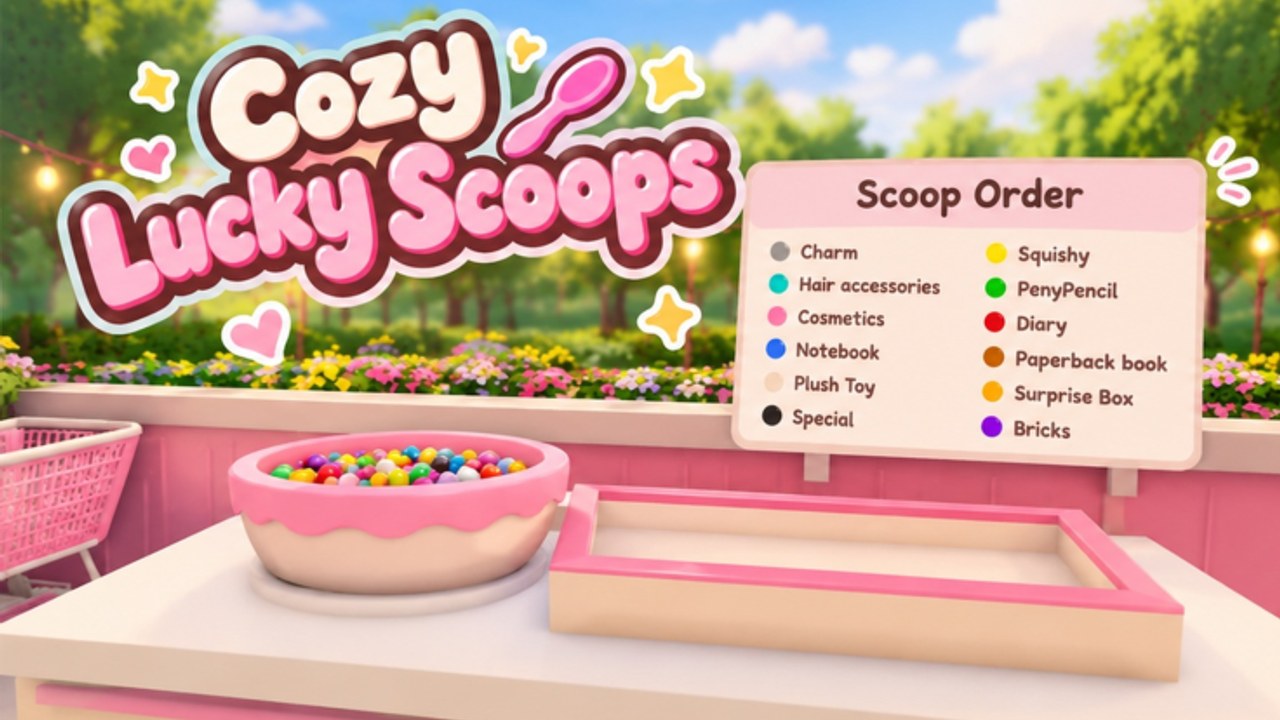
Cozy Lucky Scoop Order is a free Roblox cozy simulation from Sakura Game Studios. It has been in beta since October 19, 2026. You run a shop fantasy built around one clear loop: Scoop → Pack → Ship. This guide walks your first session end to end so you leave with a shipped order, a claimed daily, at least one mini gift hunt, and a plan for friends and upgrades.
What you are trying to do
Customers (or tickets) ask for scooped goods. You gather the right scoops, pack them carefully, and ship the finished order. Every successful ship feeds income, practice, and the cumulative badge track. Servers hold up to twelve players; you can play alone or invite up to three friends into a tighter co-op group. Keep the fantasy cozy, but treat the loop like a real production line: fewer wasted trips beat fancy decoration in hour one.
Minute-by-minute first session
- Join and orient. Load into the shop space. Note where scooping, packing, and shipping stations sit relative to storage and any early shelves.
- Read the first order fully. Do not scoop blind. Confirm quantities and item types so you do not overfill or pack the wrong mix.
- Scoop with intention. Take only what the ticket needs when your carry limit is low. Extra trips hurt more than careful single loads.
- Pack carefully. Sloppy packs create redo work. Align items as the order expects before you commit the box.
- Ship and celebrate the clear. Your first successful ship unlocks the 1 order badge milestone and teaches the full loop under low pressure.
- Claim daily rewards. Open the daily claim flow before you leave. Make it part of every login so streaks and login gifts are never left on the table.
- Hunt mini gifts. Walk the shop and garden edges. Mini gifts are small boosts that reward curiosity between orders.
- Decide your next spend. If you have early currency, capacity upgrades (Basket / Cart path and shelves) usually beat pure cosmetics. Details live in Shop and Garden.
Core loop habits that stick
The best early players treat Scoop-Pack-Ship as a checklist, not a scramble. Read → scoop → pack → ship → reset station clutter → next ticket. When something feels slow, the bottleneck is usually carry capacity, shelf access, or packing mistakes — not a missing secret button. Bookmark Order Efficiency for the deeper speed playbook once the loop feels automatic.
First badge and why it matters
Badges track cumulative orders shipped, not a single lucky day. Milestones sit at 1, 10, 25, 50, 100, 250, 500, 750, and 1000. Your first badge is easy; higher badges become rare because they demand sustained shipping. Use the Badges guide for the full table and grind tips. Do not stall your first hour chasing 100 — clear a clean ten, learn packing discipline, then push volume.
Daily rewards on day one
Dailies are free progress. Claim them every session, even short ones. Pair the claim with a mini gift lap so one login ritual covers both. Longer streak value and gift patterns are covered in Daily Rewards. The habit compounds: players who claim then ship a few focused orders grow faster than players who only decorate.
Finding mini gifts without derailing the loop
Mini gifts are meant to feel delightful, not mandatory. Do a short search after claiming dailies or between orders. Check corners of the shop floor, garden paths, and newly unlocked decorate zones after you place furniture. If a hunt takes longer than one order cycle, pause it and ship — gifts should refresh the vibe, not replace income.
Inviting friends the smart way
You can invite up to three friends while the wider server still supports twelve players. Before you pile into chaos, assign soft roles:
- Scooper focuses on gathering exact ticket needs.
- Packer owns box quality and order matching.
- Runner / shipper moves finished packs and keeps stations clear.
Solo is fully viable. Co-op shines when nobody duplicates the same task. If your group keeps bumping into each other, shrink roles or take turns on tickets. More people without a plan often slows shipping.
Upgrades versus vibes in the first hour
Decoration makes the shop yours, and the garden is part of the cozy fantasy. Still, early Basket / Cart style carrying upgrades and extra shelf space raise how many scoops you move per trip. Community automation chatter often targets Auto Buy Basket, Cart, and shelves because those purchases directly cut downtime. Read Shop and Garden before you empty your wallet on cosmetics, and cross-check any ranked spend advice on the Tier List hub as it fills out.
Codes, scripts, and staying safe
There are no active promo codes yet. Keep the Codes page bookmarked for launch drops and beta events. If you explore Scripts, understand executor risk and never trust random Discord pastes. This wiki organizes public script listings for convenience; you are responsible for what you run on your account.
A simple end-of-session checklist
- Shipped at least one clean order (preferably a small streak toward badge 10).
- Claimed daily rewards.
- Scanned for mini gifts once.
- Noted whether carry capacity or shelves felt like the bottleneck.
- Linked friends only if roles stayed clear.
- Skimmed Updates if the client felt different after a patch.
What to read next
- Daily Rewards — lock the login ritual.
- Shop and Garden — spend on throughput first.
- Order Efficiency — raise ships per hour.
- Badges — plan the long climb to rare milestones.
- Return to the Guides Hub whenever a new walkthrough appears.
Cozy Lucky Scoop Order rewards calm, repeatable excellence. Master the first session, protect your packing quality, claim what the game gives you for free, and let capacity upgrades multiply every later hour you play.
Frequently Asked Questions
Quick answers about scooping, packing, shipping, and Beta progress.
What is the core loop in Cozy Lucky Scoop Order?
Scoop the requested goods, pack the order carefully, then ship it. Repeat. Capacity upgrades and clean packing make the loop faster.
How do I earn my first badge?
Ship your first successful order. Badges unlock at cumulative totals of 1, 10, 25, 50, 100, 250, 500, 750, and 1000 shipped orders.
Can I play with friends?
Yes. Play solo or with up to three friends. Servers support up to twelve players total. Assign scoop, pack, and ship roles to avoid collisions.
Are there codes right now?
No active codes yet. Watch the Codes hub after updates and events.
Should I buy decorations first?
Usually prioritize carrying upgrades and shelves, then decorate. See Shop and Garden for the full priority guide.
Where do mini gifts appear?
Search the shop and garden between orders after claiming dailies. Keep hunts short so they do not replace shipping time.